The process wall
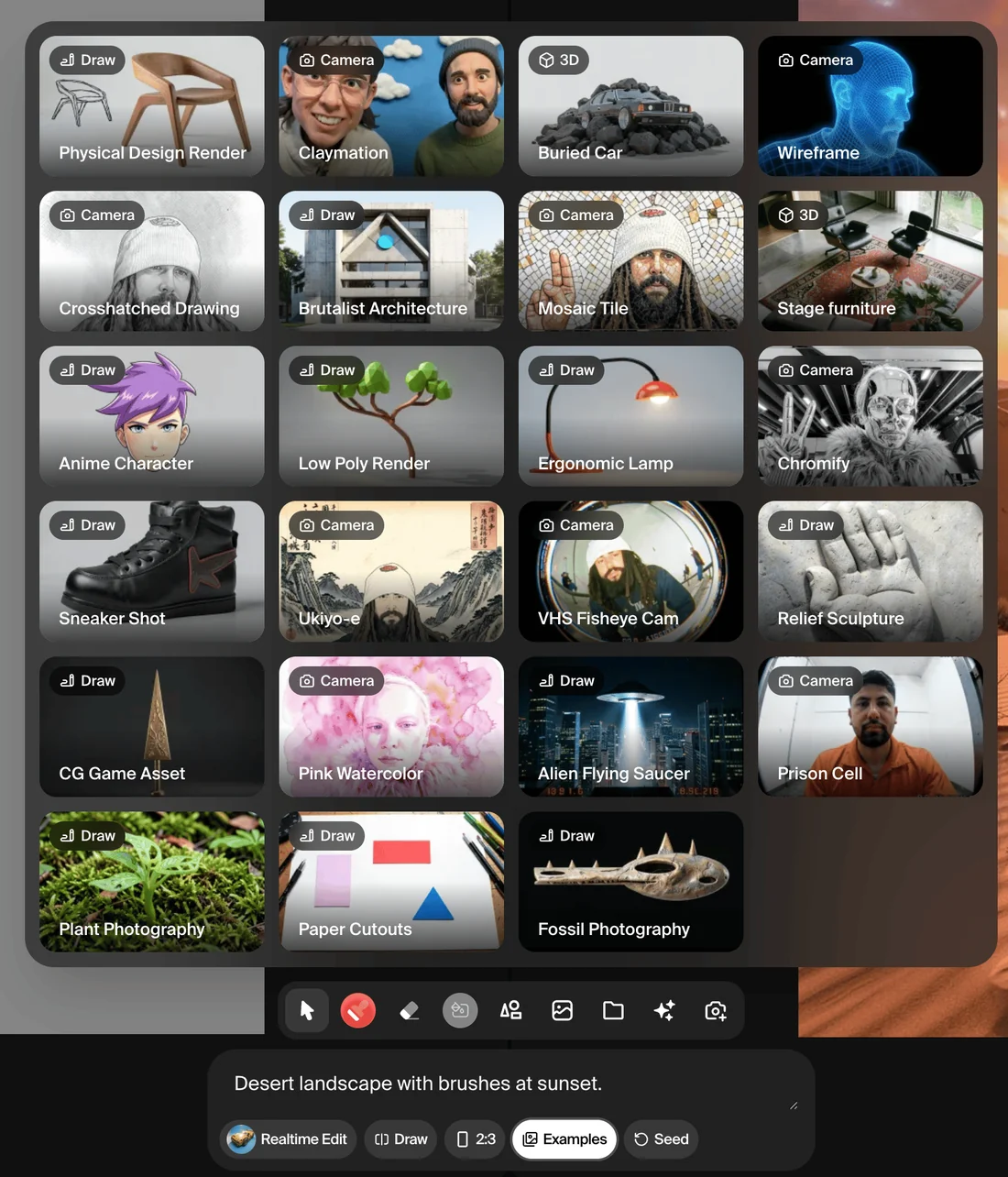
Krea's documentation page for Krea Realtime describes a working surface with no discrete render step: 'there is no queue, no waiting, and no render button to press.' A brushstroke, an uploaded shape, a webcam feed, or a typed prompt is read continuously, and the panel beside the canvas updates immediately. For a process built around drafts, submits and waits, that is a structural change: the iteration loop that used to require a save, a render, and a review becomes a single continuous action.
What the documents show
The documentation names the drawing tools plainly: Select, Brush, Eraser, Background colour, three shape tools, an Upload-image tool, a Live-capture webcam mode, and a Generate-image tool that places an already-generated image back onto the canvas as a further reference layer. It lists named models by resolution and speed rather than as one undifferentiated engine: 'Cartoon Fast,' 'CGI Fast,' 'Concept Fast' and 'Photo Fast' run at 512 pixels for a 'tight feedback loop,' while 'HD Quality' and 'Flux Realtime Quality' run at 1024 pixels once a direction is settled. The separate product page confirms the same brush-and-eraser interface with adjustable tool size, organised around prompt-aligned example categories such as Nature, Product Display and Illustration, corroborating that the live-canvas workflow described in the documentation is the shipped interface rather than a roadmap description.
Authorship and limitation
The mechanism worth naming is a continuous image-to-image loop rather than a single text-to-image call: each frame of output is conditioned on the current state of the canvas as well as the prompt, which is why the documentation says 'rough strokes, simple shapes, and loose colour blocks are enough to guide the generation.' That places the human decision earlier and more physically than a one-shot prompt does, in the gesture itself rather than in wording alone, but it does not change who authored the underlying model or what data trained the named 'Fast' and 'Quality' checkpoints; the documentation describes their behaviour and resolution, not their training sources. A maker directing the canvas is authoring the arrangement and the edit sequence, not the model's learned visual vocabulary.
What survives
Editorially, what a maker keeps is the sequence of canvas states and prompts that produced a result, since the interface is reproducible from those inputs rather than a single hidden seed. Because the documentation is a living page describing the product as it stands on 16 September 2026, a specific model name or resolution limit is worth re-checking before citing it as fixed.
- Compare the 'Fast' and 'Quality' model list against the current docs page for changes.
- Try each draw mode, Draw, Web Camera, Screen Record, Text Only, to see which one the documentation says suits ideation versus a settled composition.
- Ask a real-time tool's documentation, rather than its marketing page, what resolution and latency trade-off each named model makes.
Named and described this specifically, Krea Realtime reads less as a shortcut than as a different instrument: the brush and the model share the same loop, and the documentation's own model table is the clearest record of what that loop can and cannot resolve at speed.
Sources & reading trail
Documents the live canvas mechanism, draw modes, tool set, and named Fast/Quality models, as a living page.
Source published: Not established · Retrieved: 16 September 2026
Confirms the shipped product interface, brush and eraser tools and prompt-aligned template categories, matching the documentation.
Source published: Not established · Retrieved: 16 September 2026
Papers, documentation, rulings and the makers' own records establish the note; the authorship reading and what-survives are Creative AI editorial analysis. This retrospective draft does not imply the site published on the event date.